Website for tradespeople: the guide to winning more jobs in 2026


It's a Sunday evening and a homeowner has water spreading across the kitchen floor. They don't call a friend. They grab their phone and type "emergency plumber near me". In ten seconds they have three results, glance at the star ratings, tap the one with recent photos and a phone number they can press, and the job is gone. To one of you. Not the other two.
That scene plays out in your town every single day, for burst pipes, dead outlets, a deck that needs rebuilding, a bathroom remodel. So the real question isn't "do I need a website for my trade?" It's "when someone needs my work right now, do I win the job or does the contractor two streets over?"
This guide won't tell you to "have an online presence". It gets into the actual job: how people find a tradesperson today, how to capture the quote before a competitor does, the proof of work that turns a hesitant homeowner into a booked job, how to cover your service area and your after-hours calls, and how to get a tradesperson website that does all of it without eating your evenings.
How clients find a tradesperson now (and where you win or lose)
Word-of-mouth still matters. But it's no longer where most jobs start. Today they start on a screen, and the path is remarkably predictable. Around 87% of people search online for a local professional before they ever pick up the phone, and for trades the journey almost always runs through four steps:
- Google Search - "trade + city" or "trade + problem" ("electrician Chicago", "emergency plumber near me", "deck builder Austin")
- Google Maps and the local pack - they scan the nearest tradespeople with the best ratings, right there on the map
- Google reviews - they read the first three or four reviews to form a gut opinion in seconds
- Your website - they click through to confirm you're real, see your finished work, and ask for a quote
If you don't have a website, the journey ends at step three. The prospect sees your listing, reads a review, but can't verify your work or send a request. They bounce back to the map and pick the tradesperson whose site is full of finished-job photos and has a quote button in the corner.
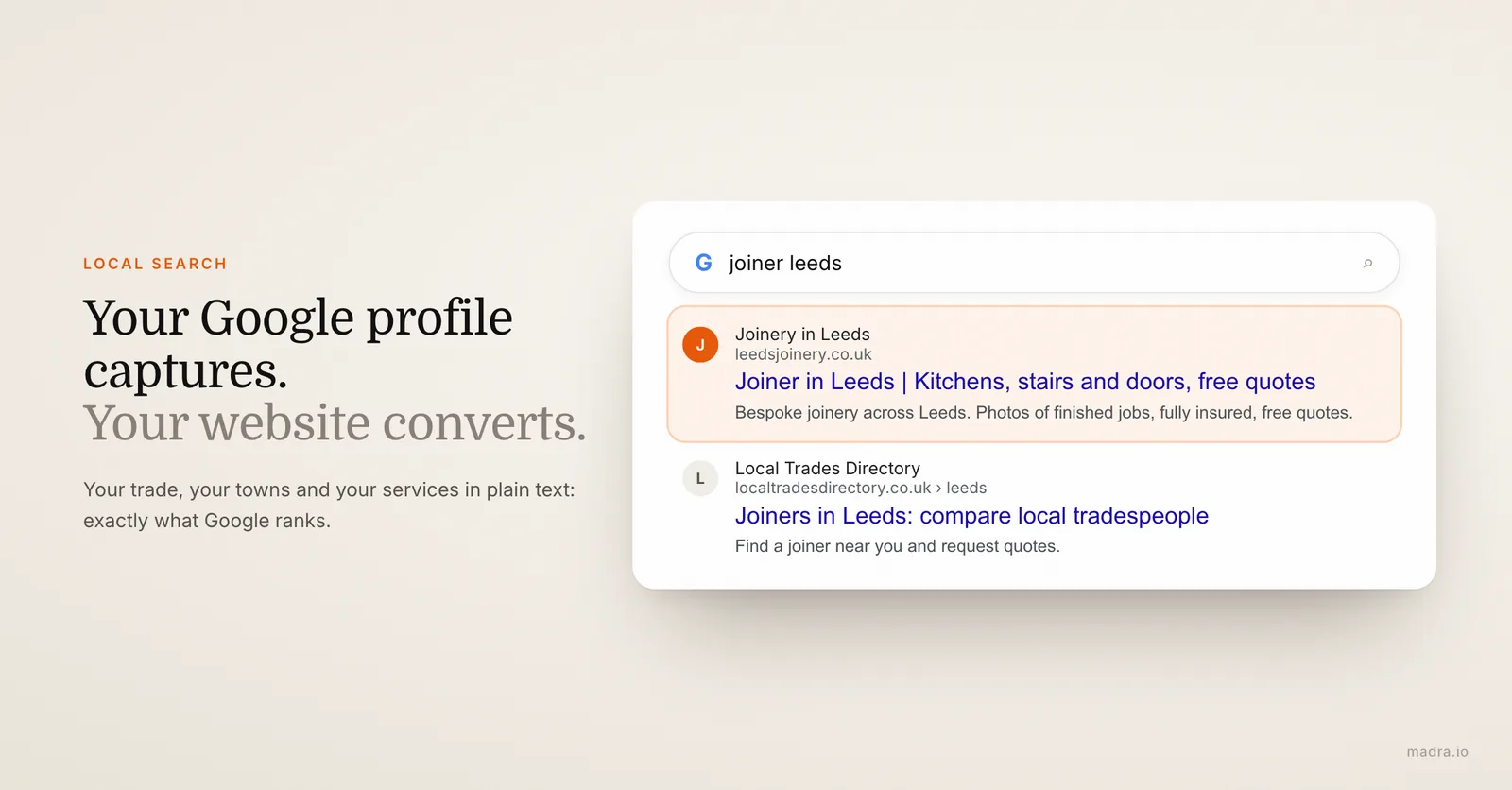
Your Google profile captures, your site converts
Two things have to work together here: your Google Business Profile and your website. The profile (the panel with your map pin, hours, phone and reviews) is the first thing people see. It's what makes you appear on "plumber near me" or "electrician + city". But it's a listing Google controls, limited to a few fields, and it shows the same template for you and your competitor.
Your site is where the click lands. It's where the homeowner sees the bathroom you renovated, the panel you rewired, your license and insurance, and your "Request a quote" button. A profile that links to nothing, or to a dead page, wastes the search you worked to win. A profile wired to a real site turns "near me" into a booked job.
A tradesperson's website isn't a brochure. It's a salesperson working around the clock, closing while you're up a ladder on the other side of town.
Local search is your home turf
You don't have to outrank national directories on generic terms. Your battlefield is local: "boiler repair Portland", "EV charger installer Seattle", "kitchen fitter near me". On those queries, a site that states your trade, your towns and your services in clear text sends Google exactly the signals it wants to rank you. That's an edge a giant aggregator can't take from you, because it isn't you and it isn't in your town.
If you're still weighing a site against just running a Facebook page, we lay out the full case in our guide on when and how to refresh an outdated site.
The quote request: winning the job before a competitor does
The quote request is the moment a visitor becomes a paying job. It's the single most valuable element of your tradesperson website, and the one most trade sites get wrong. A homeowner comparing three contractors will go with whoever makes it easiest to reach out and whoever responds first. Speed and friction decide this, not how slick your logo looks.
Two ways in: the call button and the quote form
You need both, on every page, because the two cover two different customers.
- The click-to-call button. On mobile, one tap dials you. This wins the emergencies: the burst pipe, the tripped panel, the locked-out customer. The number must be a big, tappable button, visible without scrolling. Nothing loses an urgent job faster than a phone number you have to copy out by hand.
- The quote request form. Plenty of people won't phone a stranger on the spot, especially in the evening or from work. But they'll tap out a 30-second form: name, phone, type of work, a one-line description. That's how you capture the planned jobs (a remodel, a rewire, a new deck) that the caller-only competitor never even hears about.
Keep the form short. Name, phone, what you need, done. Not fifteen mandatory fields, no account creation. Every extra field you add drops the number of people who finish it. You can always ask for the rest when you call them back.
Respond fast, or the job is gone
Here's the part most tradespeople underestimate: the homeowner who sends three quote requests usually hires whoever replies first, not whoever is cheapest. Studies of local services put the first responder's win rate far ahead of the rest. So set up your site to alert you the second a form comes in (an email and a text to your phone), and treat a new request like a ringing phone. A site that quietly collects requests you read three days later is barely better than no site at all.
One more detail that wins trust before you've said a word: show roughly what things cost. You don't have to publish a full price list. A range ("most boiler repairs run $X to $Y", "rewires from $Z") filters out tyre-kickers and reassures serious buyers that you're upfront. The contractors who hide every number make homeowners nervous.
Want a trade website with a click-to-call button and a quote form that actually converts?
Fill out the form, send your job photos, and receive your complete site in 24 hours. Hosting, domain and local SEO included.
Proof that wins jobs: finished-work photos, reviews, certifications and insurance
A homeowner hiring a tradesperson isn't buying software or a pair of shoes. They're about to let a stranger into their house and hand over a job that can cost thousands of dollars. They're not looking to be impressed; they're looking to feel safe. Three things do that on your site, and they do it in the first few seconds: your finished-work photos, your reviews, and your credentials.
Before-and-after photos of real jobs
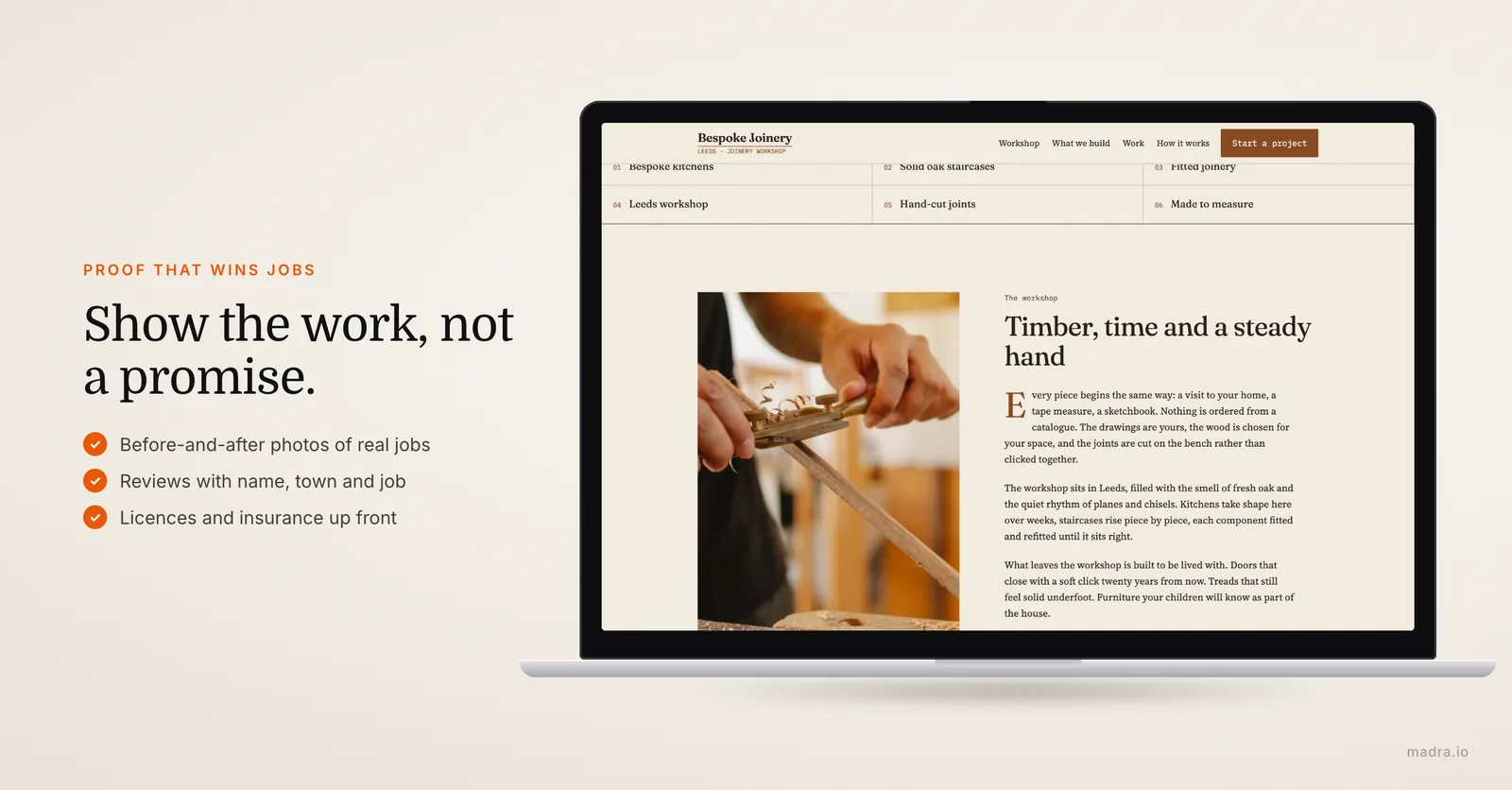
This is the number one thing prospects check, and it's where you beat every competitor running stock images. Not a Shutterstock photo of a grinning worker in spotless overalls (people spot those instantly and distrust them). Before-and-after shots of jobs you actually finished. A homeowner who sees a tired bathroom turned into a clean, tiled one, or a messy fuse box turned into a neatly wired panel, can picture you doing the same in their home. It's proof you can do the work, not a promise.
You don't need a photographer. Get into the habit of shooting every finished job on your phone: one "before", one "after", in decent light, held steady. Five minutes per site, and within a couple of months you've built a portfolio worth its weight in gold. Even a rough phone photo of a real job beats a polished stock image every time.
Reviews, with the context that helps a stranger trust you
Google reviews are the reflex; reviews on your own site reinforce them. Display five to ten genuine testimonials with the customer's first name, town, and the type of work done ("rewired our 1920s house", "fixed a leak the same evening"). The context lets a new prospect see themselves in the review. You don't need fifty; five to eight well-chosen ones reassure more than a wall of text. Link to your Google listing as well: it signals you've nothing to hide. And get into the habit of replying to reviews, good and bad. It's a signal both customers and Google like, and it shows a tradesperson who's active and accountable.
Licenses, certifications and insurance, shown up front
For a trade, credentials aren't a detail buried in the footer. They're often the deciding factor. State licenses, trade certifications, general liability insurance, bonding, manufacturer accreditations: if you hold them, show them plainly, near your quote button. For electrical, gas, plumbing and structural work especially, the homeowner wants to know they're covered if something goes wrong, and that you're allowed to do the work legally. A contractor who proves they're licensed and insured wins against an unknown name every time, even at a higher price. This is one piece of "proof" that directly justifies charging what your work is worth.
Service area and emergencies: getting found across your whole patch
For a tradesperson, where you work is as important as what you do. A homeowner three towns over won't call you if they can't tell whether you cover them, and Google won't rank you for a town your site never mentions. This is the part of local SEO most trade sites get lazy about, and it's free ranking left on the table.
Spell out the towns you cover
If you work within a 20-mile radius, say so, and name the places. List the towns, neighbourhoods and counties you serve. This does two jobs at once. It reassures the prospect ("good, they come out to my area") and it feeds Google the local signals it needs to put you in front of people in those places. Vague phrasing like "serving the wider area" helps nobody. "Plumbing services in Boulder, Longmont, Louisville and Erie" tells both the homeowner and the search engine exactly where you belong.
If you cover several distinct towns, a short dedicated page per main town ("Electrician in Longmont") is one of the highest-return moves in local SEO for trades. Each page can speak to that town directly and rank for "electrician + that town".
Make your emergency and after-hours offer obvious
If you take emergency or after-hours calls, that's a competitive weapon, so don't hide it. State it at the top of the page: "24/7 emergency callout", "available evenings and weekends", with the click-to-call number right beside it. The customer with a flooding kitchen at 11 p.m. isn't reading your About page; they're hunting for one thing, a number to press, and proof you'll actually pick up. Give response-time expectations where you can ("typically on site within the hour for emergencies"), because for urgent work, speed is the entire pitch.
And it has to work on a phone. Over 65% of local searches happen on mobile, and emergency searches even more so. A site with tiny text, buttons you can't tap, or a ten-second load time loses the job in the three seconds before it even appears. Google knows this and pushes slow, non-responsive sites down the rankings, which is its own quiet penalty on top of the customers you lose directly.
What a tradesperson website costs (and the calculation that really matters)
This is the question every tradesperson asks first. The honest answer depends on the route you take. Here's a realistic 2026 comparison for a focused site of four to six pages (home, services, portfolio, reviews, contact). For a deeper breakdown of every cost line, see our guide on how much a website actually costs.
| Criteria | DIY (Wix, Squarespace) | Freelancer | Web agency | Madra |
|---|---|---|---|---|
| Price | $10-25/month + your time | $800-2,500 (one-off) | $3,000-6,000 (one-off) | from $29.90/month, all-inclusive |
| Turnaround | 3-5 days (15-30h of work) | 2-4 weeks | 4-8 weeks | 24 hours |
| Local SEO | Your responsibility | Basic (often extra) | Included or extra ($500-1,500) | Optimised from day one |
| Hosting + domain | Included in subscription | Separate ($50-150/year) | Rarely included | Included |
| Updates (new job photos, prices) | Do it yourself | Billed ($50-100/h) | Billed ($80-150/h) | Included (within 24h) |
| Skills required | High | None | None | None |
| Mobile responsive | Check it yourself | Usually yes | Yes | Yes, systematically tested |
The real calculation is your time, not just the price
The number on the invoice isn't the whole story. The bigger cost is your time. If you bill $60 an hour on the tools, spending 25 hours wrestling with a Wix template costs you $1,500 in work you didn't do, and the result still won't match what a pro delivers. Your place is on the job, not fighting a website editor on a Sunday night. A freelancer or agency removes that time cost but adds delay and a price-per-edit every time you want to swap in a new job photo or change your number.
Then there's the cost of doing nothing. Every month without a working site is quote requests you never see. A single job won through your site, one bathroom remodel, one rewire, one custom deck, usually pays for the site many times over. That's the maths that matters for a trade: the site doesn't have to be expensive, it has to bring in one extra job. A turnkey service like Madra is built around exactly that: a complete site in 24 hours, and a quick message whenever you want to add a finished job or update your prices.

Your trade website live in 24 hours, without leaving the job
You don't have a week to spend on a website builder, and you don't want to drop $4,000 at an agency that delivers in two months. Here's exactly how it works with a turnkey service like Madra when you create your tradesperson website:
Step 1 - Fill out a quick form (5 minutes). Your trade, your service area and the towns you cover, your services, your contact details and whether you take emergency calls. Short answers are plenty, no formal brief needed.
Step 2 - Send your photos, logo and credentials. Before-and-after photos of finished jobs, your logo, and your license, insurance and certifications. The more real visuals you provide, the stronger the site. No good photos yet? It ships with neutral visuals and you swap in your own job shots as you complete work.
Step 3 - AI builds your site. Structure, services pages, your portfolio, copy optimised for local search and for the towns you serve, the quote form and click-to-call, all generated from your information and trade best practice. To understand how the AI speeds this up, see our guide on creating a website with AI.
Step 4 - A human checks every page. A real person reviews the whole site, confirms the call button dials, the quote form lands in your inbox, your service area reads clearly, and everything looks right on a phone. This step is the difference between Madra and a fully automatic generator.
Step 5 - Your site goes live. Hosted, on your own domain, SSL on, local SEO configured and your Google Business Profile linked. You approve it, request any tweaks, and you're live.
Finished a new job worth showing? New phone number, new service, a fresh five-star review? It's included in the subscription: send a message and it's updated within 24 hours, no per-edit bill. The same turnkey approach works for other local businesses too; if you know people in other trades, we have dedicated guides for restaurant owners and freelancers.
Frequently asked questions
Does a website replace my Google Business Profile?
No, the two work together. Your Google Business Profile captures local search ("plumber near me", "electrician + city") and shows your hours, map pin, phone and reviews. Your website receives the click: it proves you're a real, insured tradesperson, shows photos of your finished work, and gives the visitor a quote form or a call button. A listing with no site sends the prospect nowhere; a site linked to your profile turns the search into a quote request.
What pages should a tradesperson website include?
At a minimum: a homepage that names your trade and service area with a click-to-call number, a portfolio page of before-and-after job photos, a services page, a reviews page, and a contact page with a short quote form. Add a page for your license, insurance and certifications, because that's what reassures a homeowner before they let you into their house.
How do I rank for "emergency plumber near me" or "electrician in my city"?
Set up and verify your Google Business Profile, then make sure your site states your trade and your towns in plain text (not just in images). Create a page per main service and per main town, keep your name, address and phone identical everywhere online, publish job photos regularly, and collect Google reviews. For "near me" and emergency queries, Google heavily favours proximity and reviews, so an active profile plus a fast mobile site does most of the work.
Do I really need a quote form if customers can just call me?
Yes, because not everyone calls. Plenty of people search in the evening or at work and won't phone a stranger on the spot, but they will tap out a 30-second form. A click-to-call button wins the emergency jobs; a short quote form captures the planned jobs (a bathroom remodel, a rewire, a deck) that the caller-only competitor never even hears about. You want both on every page.
What if my photos are taken on a phone and not professional?
Phone photos are exactly what you want. A real before-and-after shot of a job you finished beats any stock image of a smiling worker in a clean hard hat, which prospects spot instantly and distrust. Just shoot in good light and hold the phone steady. If you have nothing yet, your site ships with neutral visuals and you swap in your own job photos as you complete work.
How much does a tradesperson website cost and how fast can it go live?
With Madra, a complete tradesperson website (services, job portfolio, service area, reviews, quote form, click-to-call) is live in 24 hours from $29.90/month, with hosting, domain, local SEO and updates included. For comparison, an agency charges $3,000 to $6,000 with a 4 to 8 week wait, and a DIY builder like Wix demands 15 to 30 hours of your own time.
Ready to win more jobs?
A professional trade website live in 24 hours, from $29.90/month. Your job photos, your service area, your reviews, a quote form and a click-to-call button, all included. Someone might be searching for your trade right now.
Create my trade website