Freelancer Website: Stop Renting Your Clients From a Marketplace

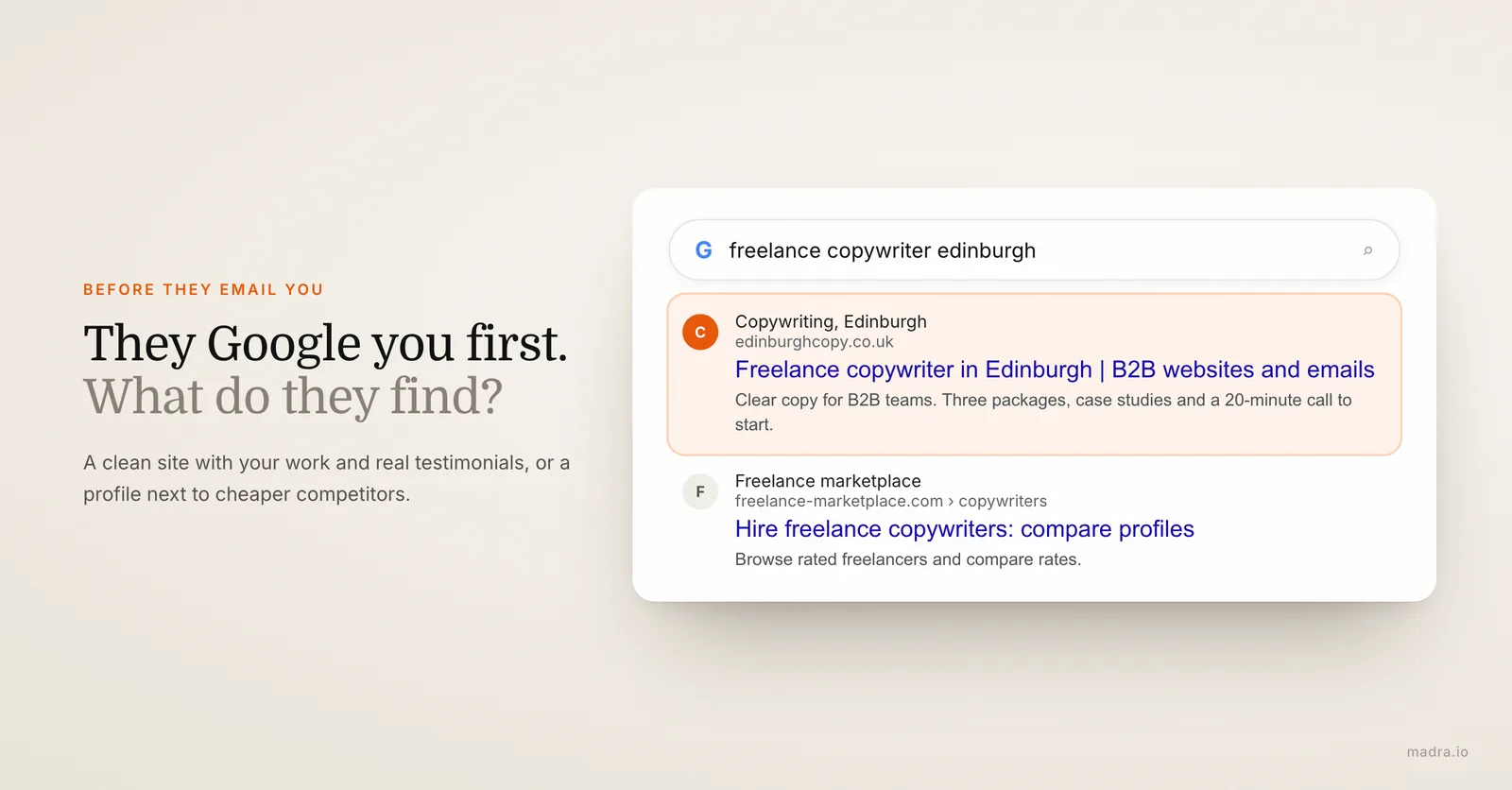
A potential client just got your name from a referral. Before they email you, they do one thing: they type your name into Google. What comes up decides whether you get the project, and at what rate.
If the answer is a half-finished LinkedIn, an Instagram grid, and a public Upwork profile sitting next to twelve cheaper competitors, you have already lost some of your leverage. You look like one freelancer among many, interchangeable, negotiable. If the answer is a clean site with your work, your packages, and three real testimonials, the conversation starts from a completely different place. You look like the obvious choice, and price stops being the first question.
This guide is not another "you should have an online presence" lecture. It gets into the specific economics of freelancing: why marketplaces quietly cap your income, how a freelancer website lets you own the client relationship instead of renting it, how to turn browsers into booked calls, and how to build the trust that lets you charge what you are worth. If you are still weighing the basics, our piece on why you need a website covers the groundwork.
The site that turns "freelancer" into "professional"
There is a quiet hierarchy in how clients perceive the people they hire. At the bottom: "some freelancer I found online." At the top: "a professional I chose." The gap between those two is mostly perception, and your website is the single biggest lever you have to move from one to the other.
Think about the last time you hired someone for skilled work, a developer, a designer, an accountant. The one with a real site, a coherent story, and visible proof felt safer, even if they cost more. That feeling is exactly what your prospects apply to you.
The five-second judgment
When someone lands on your site, they decide in roughly five seconds whether you are a serious operator or a hobbyist with a side hustle. They are not reading carefully yet, they are scanning for signals: does this look intentional, does it state clearly what this person does, does it feel like a business or a placeholder. A clean header with a sharp positioning line ("I help SaaS startups turn messy onboarding into revenue") clears that bar instantly. A generic "Welcome to my website" does not.
Why a marketplace profile can't do this for you
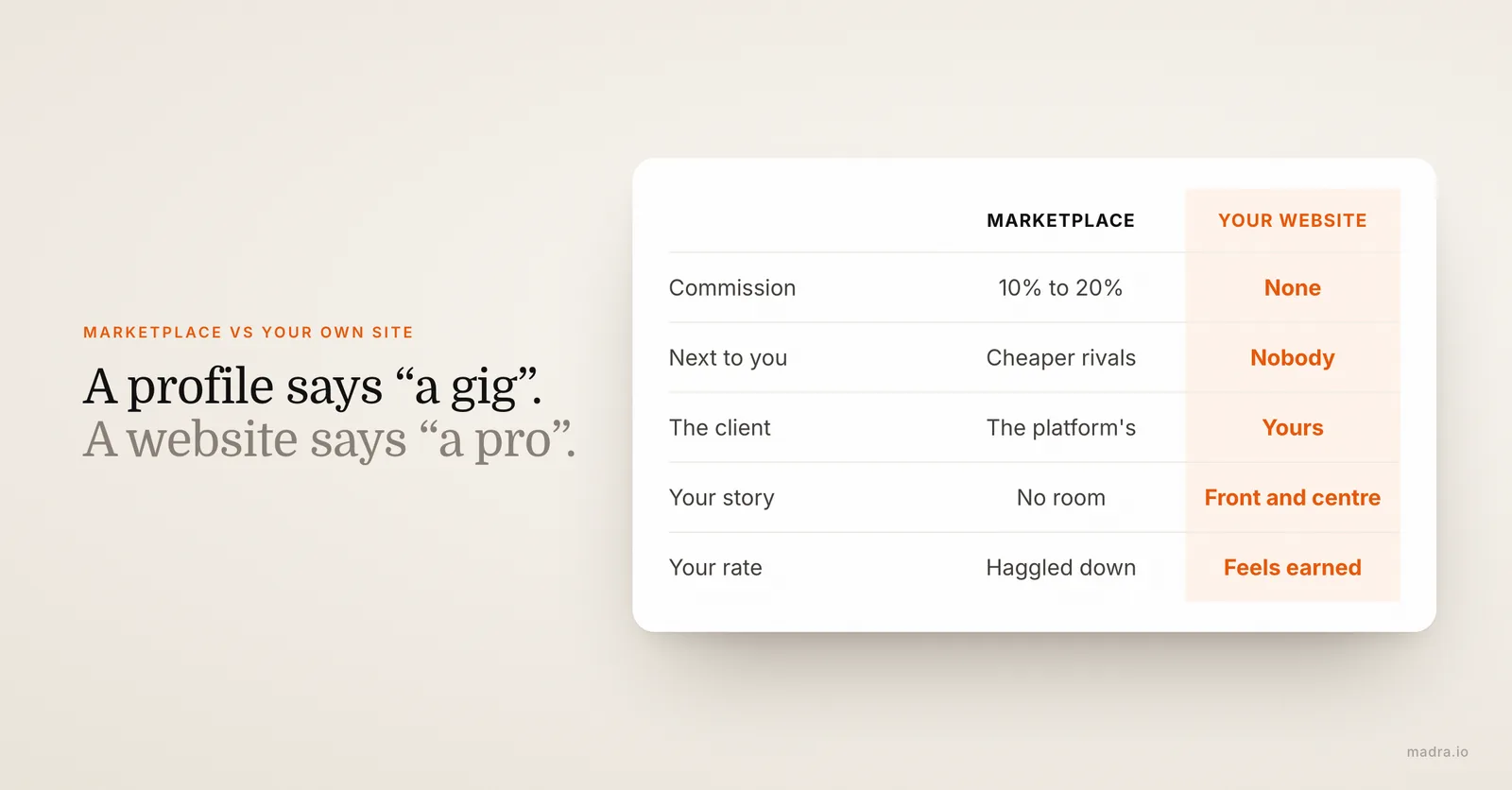
An Upwork or Fiverr profile is built to make you comparable, that is the entire point of the platform. You sit in a grid next to people undercutting you by half, framed by the platform's design, ranked by the platform's algorithm. There is no room for your story, your point of view, or the specific way you work. A profile says "here is a gig." A website says "here is a professional, and here is why you want this one."
A freelancer without a site in 2026 isn't invisible, they're interchangeable. And interchangeable is the most expensive thing you can be, because it means you always compete on price.
The site that lets you raise your rates
This is the part most freelancers miss: a professional website is one of the cheapest ways to justify a higher rate. When a prospect can see your process, read a case study with a real result, and find testimonials from clients like them, the number you quote feels earned rather than random. The same proposal that gets haggled down when you are "a freelancer from a marketplace" gets accepted when you are "the specialist whose site they spent ten minutes on." Your site does the pre-selling, so you do less defending.
Getting found beyond Upwork and Fiverr
Marketplaces are not evil. They are genuinely good at one thing: putting you in front of clients who are searching right now, with no upfront effort from you. The problem is the rent you pay for that convenience, and the fact that you never stop paying it.
What renting your clients actually costs
On the major platforms, commission runs roughly 10% to 20% of every invoice, and that is before payment-processing fees and the "connects" or membership costs some charge just to bid. On $80,000 of freelance income, a 15% cut is $12,000 a year, gone, every year, forever. But the commission is not even the real cost. The real cost is that the client is the platform's, not yours. They found you through the platform, they pay through the platform, and the next time they need work they go back to the platform, where your competitor is one click away. You did the work; the platform keeps the relationship.
And the ground can shift under you without warning. Platforms change their fee structures, rework their search algorithm, or suspend accounts over a single disputed review. You cannot build a durable business on an asset you do not own.
Your website is the one channel you control
A website flips the model. When a client finds you through your own site, through Google, a referral that lands on your domain, or a link in your email signature, there is no commission, no intermediary, and the relationship is yours from the first message. You own the inbox, the contact details, and the next project.
The smart play is not to quit the marketplaces overnight. It is to rebalance: keep a platform presence for cold discovery if it works for you, but funnel everything you can to your own site. Repeat clients, referrals, people who heard you on a podcast, your social following, all of them should land on your domain, where you keep 100% and own what happens next.
Getting found on Google for what you actually do
You will not outrank the marketplaces for a broad term like "freelance designer." You do not need to. Your opening is the specific and the local: "Webflow developer for fintech," "freelance copywriter for B2B SaaS," "brand designer Portland." On those searches, a site that states your specialty, your niche, and your location in plain text sends Google exactly the signals it wants, and the marketplaces cannot follow you there because they are not you. A focused services page, a couple of niche case studies, and a clear location turn your site into a steady source of inbound leads that owe nobody a commission.
Want a freelancer site that brings you commission-free leads?
Fill out a short brief, send your work and your logo, and get a complete site in 24 hours. Hosting, domain and SEO included from $29.90/month.
Turning visitors into clients
Getting found is half the battle. The other half is what happens once someone is on your site. A surprising number of freelance sites are beautiful and convert nobody, because they make the visitor work to figure out what is on offer and how to start. Conversion for a freelancer comes down to three things being obvious within seconds: what you do, what it costs, and how to take the next step.
State your offer like a menu, not a mystery
Vague positioning is the most common conversion killer. "I'm a creative problem-solver passionate about helping brands grow" tells a prospect nothing they can act on. Package your work into two or three clear offers with a name, a one-line description of who it is for, what they get, and a starting price. "Brand identity package, for early-stage startups, logo plus guidelines plus assets, from $2,500." A prospect reading that knows immediately whether you are a fit, and a qualified prospect is worth ten curious ones.
Show your prices, or at least a floor
This is the one most freelancers resist, and it is a mistake. Hiding price entirely guarantees a stream of inquiries from people whose budget is a fraction of yours, each one costing you a discovery call before they vanish at the first number. A visible starting point ("projects from $1,500," "day rate from $600") does two jobs at once: it filters out mismatched budgets before they reach your inbox, and it reads as confidence rather than something you are nervous to mention. You can still quote each project individually, the floor just protects your calendar.
One clear next step, repeated
Every page should make the next move obvious and frictionless. Decide what that move is, "book a 20-minute call," "request a quote," "send a brief," and put a button for it in the header, after each section, and in the footer. Do not bury your only call-to-action at the bottom of an About page.
- Book-a-call button: the strongest option for higher-value work. A scheduling link that drops a slot straight into your calendar removes the back-and-forth that loses warm leads.
- A contact form that actually works: short is better, name, email, a line about the project. And test it monthly. An astonishing number of freelance sites have silently broken forms swallowing leads the owner never sees.
- A visible email and a fast promise: "I reply within one business day" sets expectations and signals you are a professional who runs a business, not a hobby.
Speed matters too. The freelancer who replies in an hour usually beats the one who replies in two days, regardless of who is better. Your site's job is to capture the lead cleanly so you can be that fast responder.
Showing your work: portfolio, case studies, testimonials
For a freelancer, proof is the product. Clients are not buying your hours, they are buying confidence that you will deliver the outcome they want. Three elements carry almost all of that weight: your portfolio, your case studies, and your testimonials. Get these right and the rest of the site is supporting cast.
Case studies beat a wall of thumbnails
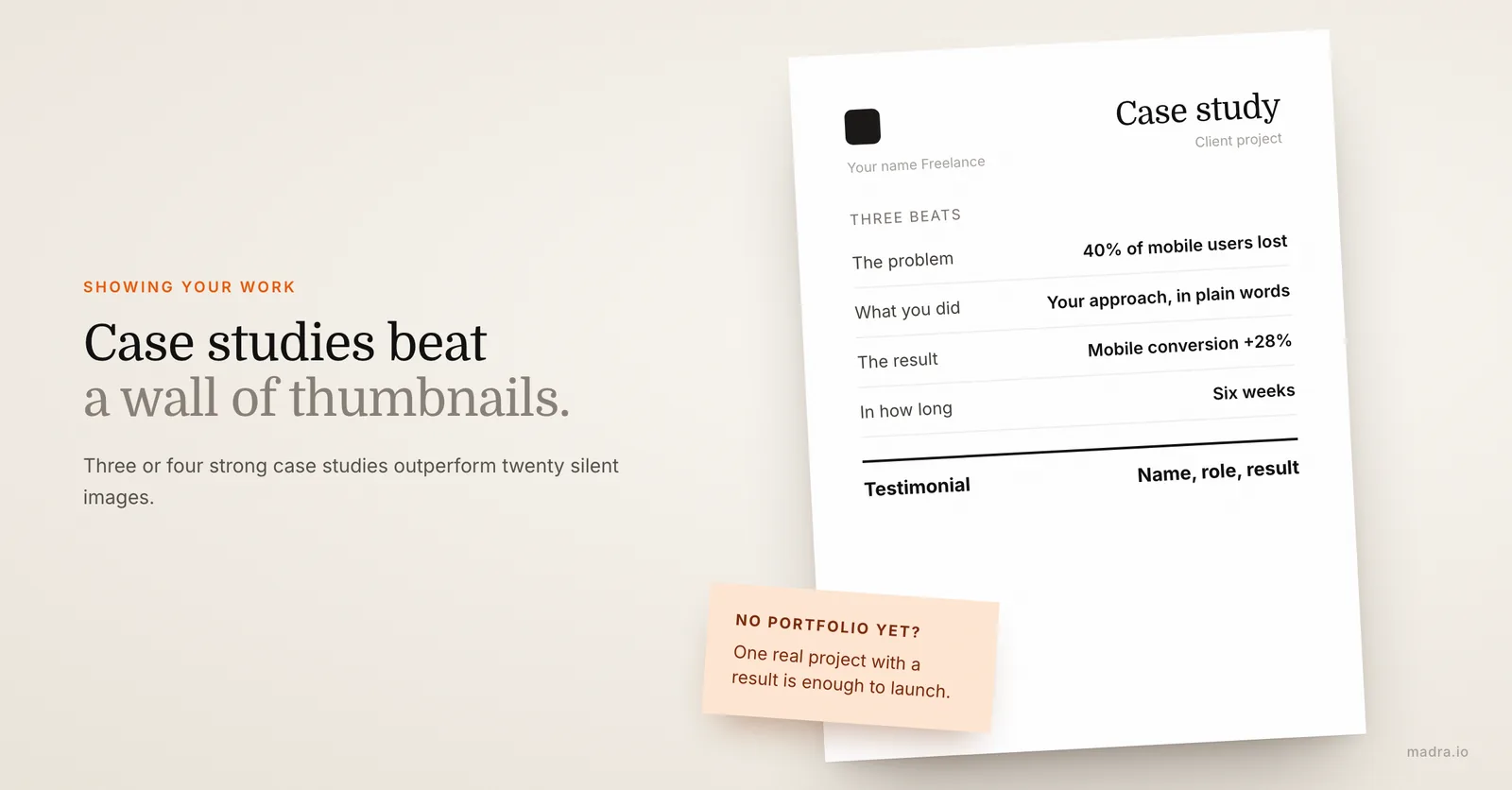
The instinct is to dump twenty pretty images into a grid. Resist it. A wall of thumbnails shows that you can make things; a case study shows that you can solve problems, which is what gets you hired and paid well. Structure each one in three beats:
- The problem: what the client was struggling with before you ("their checkout was losing 40% of users on mobile").
- What you did: your approach in plain language, enough to show judgment without a full process essay.
- The result: the outcome, with a number wherever you can ("mobile conversion up 28% in six weeks"). A result a prospect recognizes from their own situation is the single most persuasive thing on your site.
Three or four strong case studies outperform a portfolio of twenty silent images every time. Quality and context beat volume.
What to do if your portfolio is thin
New to freelancing, or pivoting into a new niche? You do not need a decade of work to launch. Use what you have, even self-initiated projects, a redesign of a brand you admire, or discounted early work, and frame each as a proper case study. One real piece with a clear problem and outcome beats an empty "portfolio coming soon" page. You add more as you ship, and your site is built so you can keep adding work without touching code.
Testimonials: specific, attributed, contextual
Generic praise ("Great to work with, highly recommend!") is nearly worthless because every freelancer has it. A useful testimonial is specific and attributed: a first name, ideally a company or role, the problem you solved, and the result. "Maria cut our reporting time from two days to two hours, exactly what we needed before our funding round. Jonas, COO at [startup]" does more than ten anonymous five-star blurbs. You do not need many, three to five strong, well-chosen testimonials reassure a prospect more than a long undifferentiated list.
No testimonials yet? Ask your three best clients today. A short message works: "Would you write two or three lines about working together, for my site? Happy to draft something you can edit." Most are glad to help, especially right after you have delivered something they liked.
Looking legit: the trust signals clients check before hiring
Before sending money to someone they have never met, clients run a quiet background check, usually without realizing it. They are scanning for reasons to trust you and reasons to walk away. Most freelance sites pass on talent and fail on these small, almost invisible trust signals. Here is what prospects actually look for.
A real human, not a faceless brand
Freelancing is personal, clients are hiring you. Use your real name and a real photo of yourself, not a logo, not a stock headshot, not an illustrated avatar. An About page that explains who you are, why you do this work, and a sentence of personality turns an anonymous service into a person a client can picture working with. Counterintuitively, leaning into being a real individual makes you look more trustworthy than hiding behind a fake-agency "we."
The signals that say "this is a real business"
Several small details quietly add up to legitimacy. Their absence is felt even when nobody can name it:
- Your own domain and a professional email. A site at yourname.com with a hello@yourname.com address signals permanence. A free builder subdomain or a Gmail address signals temporary.
- HTTPS and a site that loads fast. The padlock and a quick, polished load are baseline expectations now; a "not secure" warning or a sluggish page costs you trust before a word is read.
- Clear terms and how you work. A short note on your process, deposits, revisions and timelines tells a client you have done this before and protects you both.
- Consistency with your other profiles. When your site, LinkedIn and any marketplace profile tell the same story with the same photo and positioning, you read as coherent and real. Mismatched details plant doubt.
Flawless on a phone
Most prospects will open your site on their phone first, often the moment they get your name. If the text is cramped, the images overflow, or the contact button is unreachable with a thumb, you have failed the trust test before they read a sentence. Mobile is not the secondary version of your site, it is the version most people judge you on. A site that is clean and effortless on a small screen does more for your credibility than almost anything else, which is exactly why a human check of the mobile rendering matters before you go live.
What a freelancer website costs
The honest answer ranges from almost nothing to five figures, depending on the route. The catch is that the cheapest option in dollars is rarely the cheapest once you price in your own time. For a full breakdown across every option, see our guide on how much a website really costs. Here is the freelancer-focused comparison for 2026.
| Solution | Price | Timeline | Your involvement | What's included |
|---|---|---|---|---|
| DIY (Wix, Squarespace) | $10-30/month | 2-5 days of work | Everything: design, copy, portfolio, SEO, upkeep | Hosting, templates. Domain sometimes extra |
| Web freelancer | $1,500-3,000 one-time | 2-4 weeks | Brief, feedback, then manage edits yourself | Custom design. Hosting and maintenance often extra |
| Web agency | $3,000-10,000 one-time | 4-8 weeks | Meetings, approvals, edits billed per hour | Full build, basic SEO. Changes $50-150/hr |
| Madra (AI + human expert) | from $29.90/month | 24 hours | A 5-min brief plus your logo and work samples | Design, copy, portfolio, SEO, hosting, domain, SSL, edits |
The hidden line item: your billable time
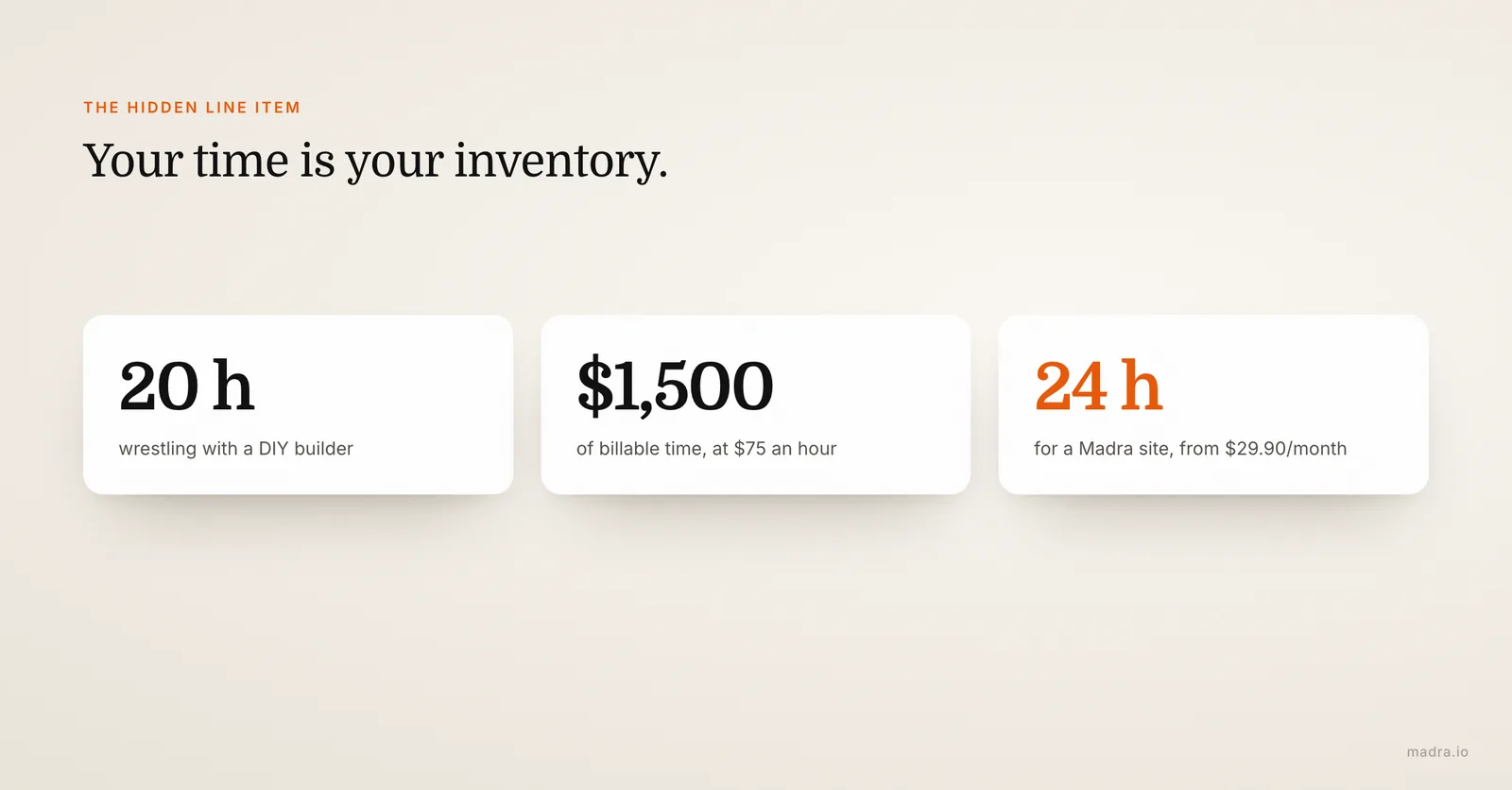
DIY looks free until you account for the thing no comparison table includes, the hours you do not spend on paid work. A freelancer billing $75 an hour who spends 20 hours wrestling with Wix has not saved money; they have spent $1,500 of potential revenue plus the subscription, and often ended up with a site they are not proud of. Your time is your inventory. Burning it on tasks outside your craft is the most expensive habit in freelancing.
This is the calculation that actually matters. If you genuinely enjoy building sites and have slow weekends, DIY is fine. If every billable hour counts and web design is not what clients pay you for, the math favors delegating. A turnkey service like Madra removes the build entirely: you stay on client work, a complete professional site lands in 24 hours, and updating a case study or a price later takes one message instead of an evening fighting an editor.
Your freelance site live in 24 hours
You do not have a free week to learn a builder, and you do not have $4,000 for an agency. You want a professional site this week so the next prospect who Googles you finds the right answer. Modern tools let you create a website with AI in a fraction of the usual time. Here is exactly how it works with a turnkey service like Madra.
Step 1 - Fill out a short brief (5 to 10 minutes). Your specialty, who you serve, your services and starting prices, your contact details, your style. No formal brief document, honest short answers are all it takes.
Step 2 - Send your work and your visuals. Your logo, a photo of yourself, and any work samples or project notes you have. No polished portfolio yet? Not a blocker, the site launches with coherent visuals and a structure you can fill in as you ship new work.
Step 3 - AI builds your site. The structure, the pages, copy tailored to your niche, your services and packages, a portfolio layout, and on-page SEO are assembled automatically from your brief and proven freelance-site patterns. This is the part that replaces days of manual work.
Step 4 - A human expert reviews everything. A real person checks every line of copy, refines the design, confirms your portfolio reads well, tests that the contact form and booking link actually fire, and verifies the mobile rendering. This is the step a fully automatic generator skips, and it is what separates a "generated" site from a professional one.
Step 5 - Your site goes live. Hosted, on your own domain (yourname.com), SSL active, SEO configured. You review it, request any tweaks, and you are live, with a site that finally matches the quality of your work.
Landed a new client and want to add the case study? Raised your rates? It is included in the subscription, one message and it is updated within 24 hours, no code, no editor. To see why AI makes this so much faster, read our comparison of AI website builders. And if you work in a specific field, we have dedicated guides for coaches and therapists and for small businesses on a budget.
Ready to own your client pipeline?
A professional freelancer site delivered in 24 hours, from $29.90/month. Your positioning, portfolio, packages and contact, all included, all yours.
Create my freelance siteFrequently asked questions
Do I need a website if I already get clients on Upwork or Fiverr?
Yes, and that is exactly the point. On a marketplace you rent access to clients: the platform takes a cut of every invoice, owns the relationship, and can suspend your account or change its rules overnight. A website is the one asset you control. Most freelancers keep a marketplace presence for discovery while pointing repeat clients and referrals to their own site, where there is no commission and the relationship is theirs.
How much does a freelancer website cost?
It depends on the route. DIY builders like Wix or Squarespace run $10 to $30 a month plus a few dozen hours of your time. A web freelancer charges $1,500 to $3,000 one-time. An agency charges $3,000 to $10,000. A turnkey service like Madra delivers a complete site in 24 hours from $29.90 a month, with hosting, domain, SEO and edits included.
What should be on a freelancer website?
Five things do the heavy lifting: a clear positioning that says who you help and with what, a services or packages page with at least a starting price, a portfolio of real work (case studies beat thumbnails), genuine client testimonials, and a frictionless way to get in touch or book a call. Trust signals like your real name, photo and clear terms tie it together.
I don't have a polished portfolio yet. Can I still launch a site?
Yes. Start with two or three pieces of real work, even self-initiated or discounted projects, and frame each as a short case study: the problem, what you did, the result. One strong case study with a result outperforms a grid of twenty thumbnails with no context. You add more as you ship. Your site is built so you can keep adding work without touching code.
Should I show my prices on a freelancer website?
Show a starting point at the very least, such as projects from $1,500 or day rate from $600. Hiding price entirely fills your inbox with people who vanish the moment they hear a number. A starting price filters out mismatched budgets before they reach you and reads as confidence rather than something to hide. You can still quote each project individually after a call.
How fast can I get a freelancer website live, and how much of my time does it take?
With Madra, a complete freelancer site (positioning, services, portfolio, testimonials, contact) goes live in 24 hours from $29.90 a month, hosting, domain, SEO and edits included. Your involvement is a 5 to 10 minute brief plus sending your logo, photo and any work samples. An agency, by comparison, charges $3,000 to $10,000 over 4 to 8 weeks, and a DIY builder asks dozens of hours of your time.